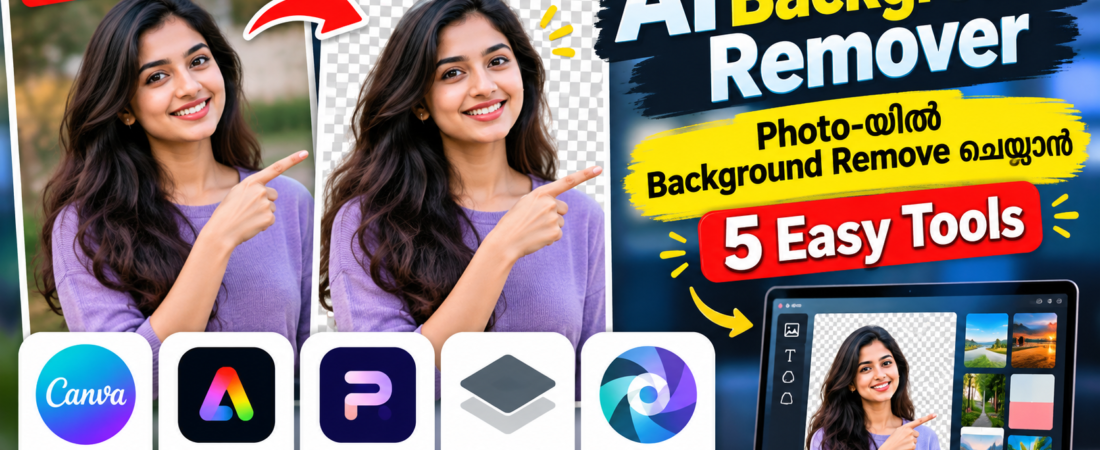
AI Background Remover ഉപയോഗിച്ച് photos-ൽ background എളുപ്പത്തിൽ remove ചെയ്യാനും പുതിയ background ചേർക്കാനും സഹായിക്കുന്ന 5 AI tools പരിചയപ്പെടാം.
AI ഉപയോഗിച്ച് Photo Edit ചെയ്യാം: 5 Easy AI Tools
Photo-യിൽ നിന്ന് background remove ചെയ്യേണ്ട സാഹചര്യം പലപ്പോഴും ഉണ്ടാകാം. Product photos, profile pictures, social media posts, thumbnails, posters തുടങ്ങിയവ തയ്യാറാക്കുമ്പോൾ background remove ചെയ്യുന്നത് വളരെ useful ആണ്.
മുമ്പ് ഇതിന് manual photo editing skills ആവശ്യമുണ്ടായിരുന്നു. എന്നാൽ ഇന്ന് AI Background Remover tools ഉപയോഗിച്ച് subject തിരിച്ചറിഞ്ഞ് background വളരെ എളുപ്പത്തിൽ remove ചെയ്യാം.
ഇവിടെ പരിചയപ്പെടാം 5 easy AI background remover tools.
1. Canva Background Remover
Canva-യിൽ AI-powered Background Remover ഉപയോഗിച്ച് photos-ന്റെ background എളുപ്പത്തിൽ remove ചെയ്യാം.
Photo upload ചെയ്ത ശേഷം background remover ഉപയോഗിച്ച് subject മാത്രം വേർതിരിക്കാം. പിന്നീട് പുതിയ background, text, graphics, shapes തുടങ്ങിയവ ചേർത്ത് design തയ്യാറാക്കാം.
Social media posts, thumbnails, posters, product designs എന്നിവയ്ക്കായി Canva ഉപയോഗിക്കാം.
ഉപയോഗിക്കുന്ന വിധം:
- Canva തുറക്കുക
- ഒരു design തിരഞ്ഞെടുക്കുക
- Photo upload ചെയ്യുക
- Photo select ചെയ്യുക
- Background Remover തിരഞ്ഞെടുക്കുക
- ആവശ്യമെങ്കിൽ പുതിയ background ചേർക്കുക
2. Adobe Express
Adobe Express-ലും image background remove ചെയ്യാനുള്ള feature ലഭ്യമാണ്.
ഒരു photo upload ചെയ്ത് background remove ചെയ്ത ശേഷം transparent image ആയി ഉപയോഗിക്കാനോ പുതിയ design-ന്റെ ഭാഗമാക്കാനോ കഴിയും.
YouTube thumbnails, promotional graphics, social media posts തുടങ്ങിയവയ്ക്കായി ഇത് ഉപയോഗിക്കാം.
Adobe Express-ന്റെ മറ്റ് editing features ഉപയോഗിച്ച് background remove ചെയ്ത photo-യിൽ text, icons, shapes എന്നിവയും ചേർക്കാം.
3. Photoroom
Product photos edit ചെയ്യാൻ പ്രത്യേകിച്ച് useful ആയ ഒരു photo editing platform ആണ് Photoroom.
AI ഉപയോഗിച്ച് photo-യിലെ main subject തിരിച്ചറിഞ്ഞ് background remove ചെയ്യാൻ സഹായിക്കുന്നു. Background remove ചെയ്ത ശേഷം പുതിയ background, shadow, colour എന്നിവ ഉപയോഗിച്ച് product image കൂടുതൽ professional ആയി തയ്യാറാക്കാം.
Online sellers, small businesses, social media creators എന്നിവർക്ക് ഇത്തരം features ഉപയോഗപ്രദമാണ്.
4. remove.bg
remove.bg background removal-നായി പ്രത്യേകം ഉപയോഗിക്കുന്ന popular online tool ആണ്.
Photo upload ചെയ്താൽ AI ഉപയോഗിച്ച് foreground subject തിരിച്ചറിഞ്ഞ് background remove ചെയ്യാൻ കഴിയും.
Simple background removal മാത്രം ആവശ്യമുള്ളപ്പോൾ ഇത് വളരെ convenient ആണ്.
Basic workflow:
Photo upload ചെയ്യുക → AI background remove ചെയ്യും → result പരിശോധിക്കുക → ആവശ്യത്തിന് download/edit ചെയ്യുക.
Profile photo, product image, presentation graphic തുടങ്ങിയ ആവശ്യങ്ങൾക്ക് ഇത് ഉപയോഗിക്കാം.
5. Pixlr
Pixlr ഒരു online photo editing platform ആണ്. AI-powered editing features ഉപയോഗിച്ച് images edit ചെയ്യാനും background remove ചെയ്യാനും കഴിയും.
Background remove ചെയ്ത ശേഷം image-ൽ മറ്റ് edits നടത്താനും text, effects, filters തുടങ്ങിയവ ചേർക്കാനും കഴിയും.
കൂടുതൽ editing control ആവശ്യമുള്ളവർക്ക് ഇത് useful ആയേക്കാം.
🤔 ഏത് AI Background Remover തിരഞ്ഞെടുക്കണം?
നിങ്ങളുടെ ആവശ്യത്തിന് അനുസരിച്ച് tool തിരഞ്ഞെടുക്കാം.
Design + Background Removal: Canva
Adobe editing ecosystem: Adobe Express
Product Photos: Photoroom
Simple Background Removal: remove.bg
Background Removal + Editing: Pixlr
ഒരു tool എല്ലാവർക്കും ഒരുപോലെ അനുയോജ്യമാകണമെന്നില്ല. Free usage limits, export options, image quality, available features എന്നിവ platform അനുസരിച്ച് മാറാം.
📱 Social Media Creators-ന് എങ്ങനെ ഉപയോഗിക്കാം?
നിങ്ങൾ ഒരു tech tips page-നായി thumbnail അല്ലെങ്കിൽ social media post തയ്യാറാക്കുകയാണെന്ന് കരുതുക.
ആദ്യം നിങ്ങളുടെ photo അല്ലെങ്കിൽ product image തിരഞ്ഞെടുക്കുക. AI background remover ഉപയോഗിച്ച് unwanted background remove ചെയ്യുക. പിന്നീട് ഒരു clean background ചേർക്കുക.
അതിന് മുകളിൽ title, icons, screenshots തുടങ്ങിയവ ചേർത്താൽ professional-looking post തയ്യാറാക്കാം.
Reels cover, YouTube thumbnail, Facebook post, Instagram post എന്നിവയ്ക്കും ഈ workflow ഉപയോഗിക്കാം.
🛍️ Product Photos-ന് AI Background Remover
Online products വിൽക്കുന്നവർക്ക് background removal പ്രത്യേകിച്ച് useful ആണ്.
Product photo-യിലെ unwanted background remove ചെയ്ത് white അല്ലെങ്കിൽ simple background ചേർക്കാം. Multiple products-ന്റെ photos ഒരേ style-ൽ തയ്യാറാക്കാനും ഇത് സഹായിക്കും.
എന്നാൽ AI ചിലപ്പോൾ product-ന്റെ edges, transparent objects, hair, jewellery തുടങ്ങിയ fine details ശരിയായി detect ചെയ്യണമെന്നില്ല. അതിനാൽ final image പരിശോധിക്കുന്നത് പ്രധാനമാണ്.
⚠️ AI Background Removal ഉപയോഗിക്കുമ്പോൾ ശ്രദ്ധിക്കേണ്ട കാര്യങ്ങൾ
AI എല്ലായ്പ്പോഴും perfect result നൽകണമെന്നില്ല. പ്രത്യേകിച്ച് hair, fingers, glass, thin wires, shadows തുടങ്ങിയ ചെറിയ details ഉള്ള photos-ൽ background removal പരിശോധിക്കുക.
Background remove ചെയ്ത ശേഷം edges zoom ചെയ്ത് നോക്കുക. Subject-ന്റെ ഭാഗങ്ങൾ accidentally remove ചെയ്തിട്ടുണ്ടോ എന്നും background-ന്റെ ചെറിയ ഭാഗങ്ങൾ ബാക്കിയുണ്ടോ എന്നും പരിശോധിക്കുക.
കൂടാതെ മറ്റുള്ളവരുടെ photos ഉപയോഗിക്കുമ്പോൾ ആവശ്യമായ permission ഉണ്ടെന്ന് ഉറപ്പാക്കുക. Commercial projects ആണെങ്കിൽ tool-ന്റെ current usage rights, export restrictions എന്നിവയും പരിശോധിക്കുന്നത് നല്ലതാണ്.
💡 AI Background Remover ഉപയോഗിക്കുന്നതിന്റെ ഗുണങ്ങൾ
AI background removal-ന്റെ പ്രധാന ഗുണം time saving ആണ്. Manual selection ചെയ്യാൻ കൂടുതൽ സമയം എടുക്കുന്ന photos പോലും AI ഉപയോഗിച്ച് വേഗത്തിൽ process ചെയ്യാം.
Beginners-നും photo editing experience കുറവുള്ളവർക്കും ഇത് സഹായകരമാണ്. Background remove ചെയ്ത ശേഷം Canva പോലുള്ള design tools ഉപയോഗിച്ച് complete poster അല്ലെങ്കിൽ thumbnail തയ്യാറാക്കാനും കഴിയും.
🔎 Quick Summary
AI Background Remover tools photo editing വളരെ എളുപ്പമാക്കുന്നു. Canva, Adobe Express, Photoroom, remove.bg, Pixlr തുടങ്ങിയ tools ഉപയോഗിച്ച് photos-ൽ നിന്ന് unwanted backgrounds remove ചെയ്യാനും പുതിയ backgrounds ചേർക്കാനും കഴിയും.
Social media creators, YouTubers, online sellers, students, small businesses തുടങ്ങിയവർക്ക് ഇത്തരം tools സമയം ലാഭിക്കാൻ സഹായിക്കും.
എന്നാൽ AI result publish ചെയ്യുന്നതിന് മുമ്പ് edges, subject details, image quality, usage rights എന്നിവ പരിശോധിക്കുന്നത് മറക്കരുത്. AI-യെ editing assistant ആയി ഉപയോഗിച്ച് final result സ്വന്തം control-ൽ പരിശോധിക്കുന്നതാണ് നല്ലത്.